Convert Markdown to Word: Command Line Guide (Pandoc)
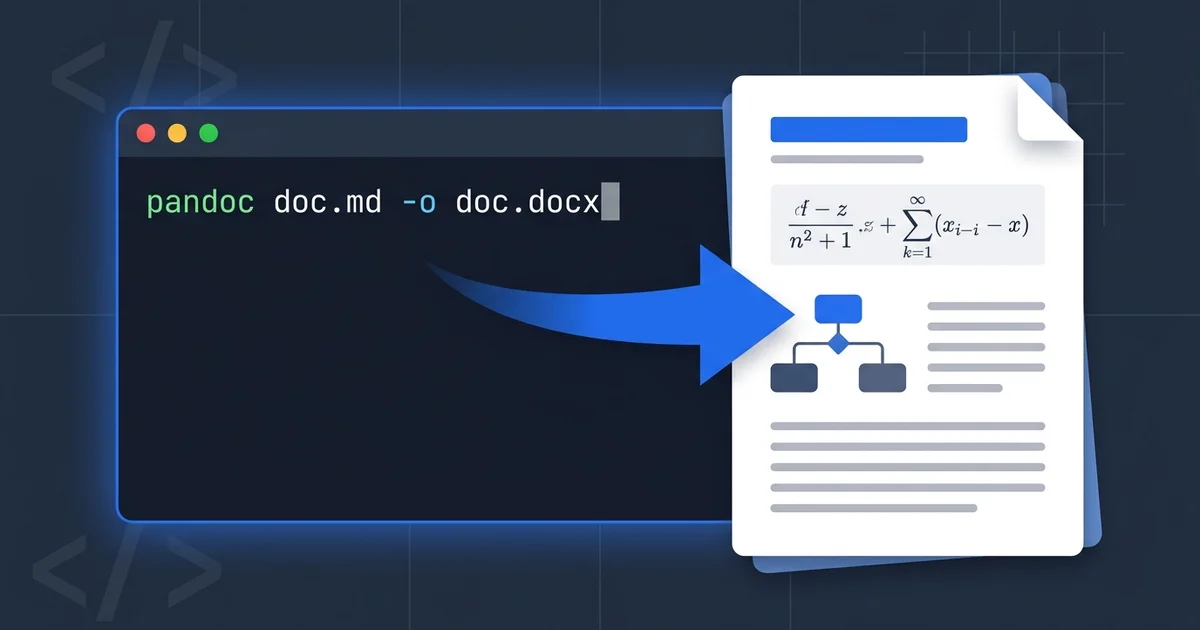
If you want to convert Markdown to Word from the command line, the answer is pandoc, and the whole job is one line:
pandoc report.md -f gfm -o report.docx
That command covers most documents. What the one-liner tutorials don't tell you is where it stops working — and some of what's written about pandoc's limits is simply out of date. I ran pandoc 3.7.0.2 on a test document stuffed with tables, task lists, LaTeX equations, and a Mermaid diagram, then unzipped the resulting .docx to inspect what actually came out. Some results surprised me.
This guide walks through installation, the commands worth knowing, DOCX styling, batch conversion, and — based on that test — an honest map of where pandoc breaks and when an online converter is the better call.
👉 Skip to the test results | Jump to the CLI vs online comparison
Installing Pandoc
Pandoc is a single binary with installers for every major platform:
- macOS:
brew install pandoc - Windows:
winget install --id JohnMacFarlane.Pandoc(or the MSI installer) - Debian/Ubuntu:
sudo apt install pandoc
One caveat before you trust an old system package: distro repositories often ship pandoc versions that are years behind. Ubuntu LTS has shipped 2.x for a long time, while the current release line is 3.x — and as you'll see below, version age changes what converts cleanly. Check yours with pandoc --version.
The Basic Conversion, Explained
The minimal command works, but three flags do most of the heavy lifting in real projects:
pandoc report.md -f gfm -o report.docx --toc
| Flag | What it does | When you need it |
|---|---|---|
-f gfm | Reads GitHub Flavored Markdown | Your file uses tables, task lists, or strikethrough |
-o report.docx | Sets the output file; format is inferred from the extension | Always |
--toc | Inserts a table of contents built from your headings | Documents longer than a few pages |
--reference-doc | Applies fonts and styles from a template DOCX | Company branding (next section) |
Why -f gfm instead of pandoc's default Markdown dialect? Because the Markdown most people write today — in GitHub READMEs, in ChatGPT and Claude outputs, in Notion exports — is GFM. Pandoc's default dialect is more academic: it enables footnotes and citations but interprets a few constructs differently. If your source came from an AI assistant or a developer tool, gfm is the safer reader.
Math note: with the GFM reader, $...$ and $$...$$ math just works in current pandoc. Equations become native Word equations, not pictures. More on this below, because it's the single most misreported pandoc behavior on the web.
Styling the Output with a Reference Document
A pandoc-generated DOCX opens in Word with generic styling. If the document has to match a company template, you don't fix that with flags — you use a reference document.
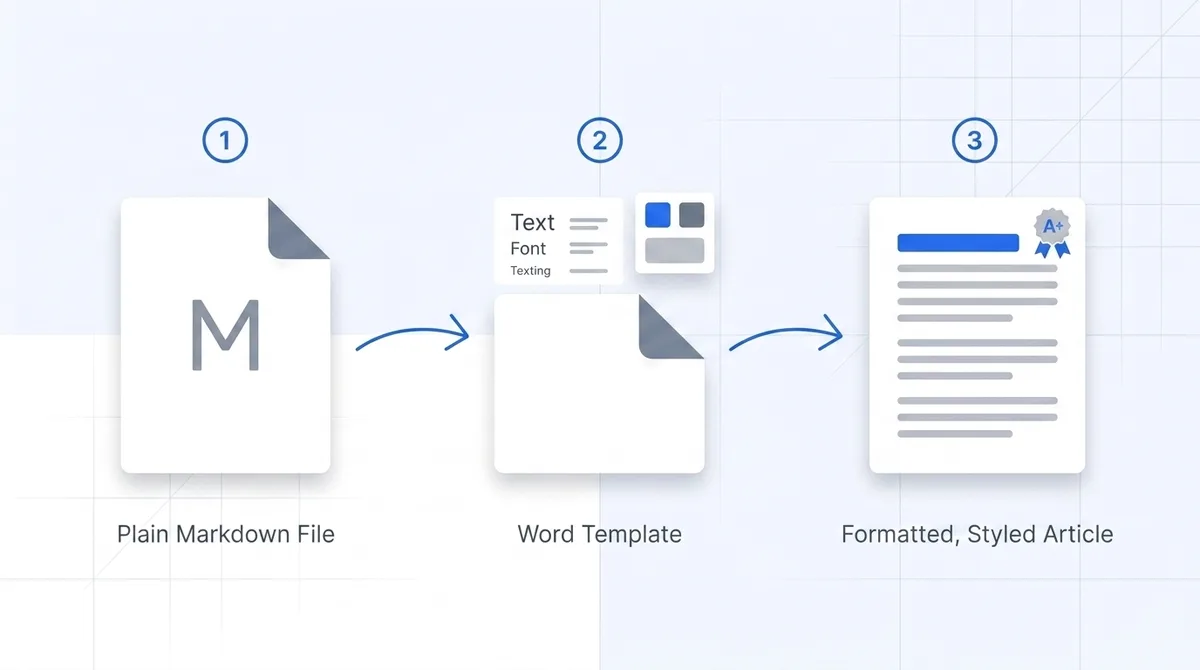
The workflow has three steps:
-
Generate pandoc's default template as a starting point:
pandoc -o custom-reference.docx --print-default-data-file reference.docx -
Open
custom-reference.docxin Word and edit the styles — Heading 1, Normal, Table, code blocks. The text content of this file is ignored; only styles and page setup carry over. -
Convert with the template applied:
pandoc report.md -f gfm --reference-doc=custom-reference.docx -o report.docx
The pandoc manual documents which style names are honored. The mental model that makes this click: you are not styling a document, you are teaching pandoc your organization's Word styles once, then reusing them on every conversion.
Batch Converting Multiple Files
This is where the command line genuinely beats any web tool. Convert an entire folder:
Bash (macOS/Linux):
for f in docs/*.md; do
  pandoc "$f" -f gfm -o "${f%.md}.docx"
done
PowerShell (Windows):
Get-ChildItem docs -Filter *.md | ForEach-Object {
  pandoc $_.FullName -f gfm -o ($_.FullName -replace '\.md$', '.docx')
}
And because pandoc is a single dependency, it drops into CI without ceremony. A GitHub Actions step that regenerates Word copies of your docs on every push looks like this:
- uses: pandoc/actions/setup@v1
- run: |
    for f in docs/*.md; do
      pandoc "$f" -f gfm --reference-doc=brand.docx -o "out/$(basename "${f%.md}").docx"
    done
Teams use this pattern to keep a Word mirror of a Markdown wiki for compliance reviews or client deliverables. If you convert the same set of files more than twice, the script pays for itself immediately.
Where Pandoc Hits Its Limits (Tested on 3.7.0)
Here's the test I ran. One Markdown file containing a table, a task list, inline math ($E = mc^2$), a multi-line display equation, a Mermaid flowchart, and a GFM alert block. Converted with pandoc 3.7.0.2, then unzipped the .docx and read word/document.xml directly. Three findings.
Math works better than you've been told
The document XML contains two <m:oMath> blocks — one per equation. That's OMML, Word's native equation format. Both equations are fully editable in Word's equation editor, render at print quality, and survive copy-paste into other Office documents.
This contradicts a claim you'll still find in older tutorials (and, until recently, in one of our own guides): that complex LaTeX gets rasterized into images. In current pandoc, it doesn't. Standard LaTeX math — fractions, summations, Greek letters, subscripts — converts to native equations out of the box.
The honest boundary: pandoc resolves standard LaTeX math syntax, not arbitrary LaTeX. Custom \newcommand macros, TikZ figures, and package-dependent environments won't make the trip. And if your distro shipped pandoc 2.x, behavior differs — check pandoc --version before blaming the tool.
Mermaid is the real breakpoint
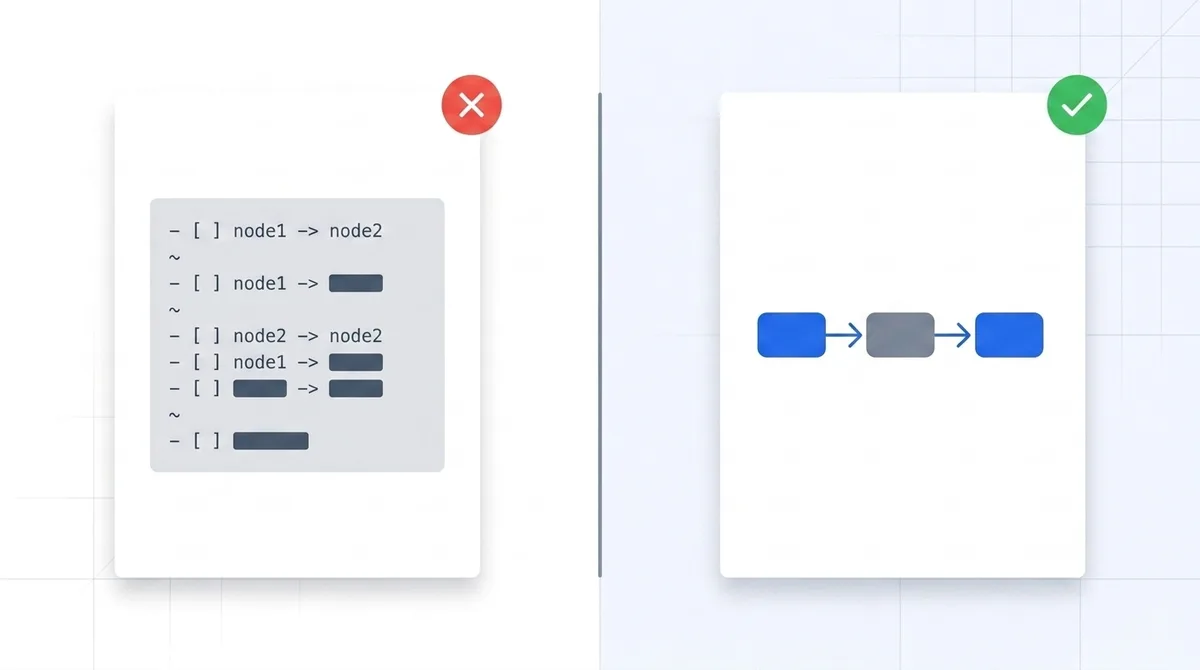
The Mermaid flowchart did not become a diagram. It came through as verbatim monospaced text — the raw flowchart LR source, styled as a code block. The document XML shows zero drawing objects.
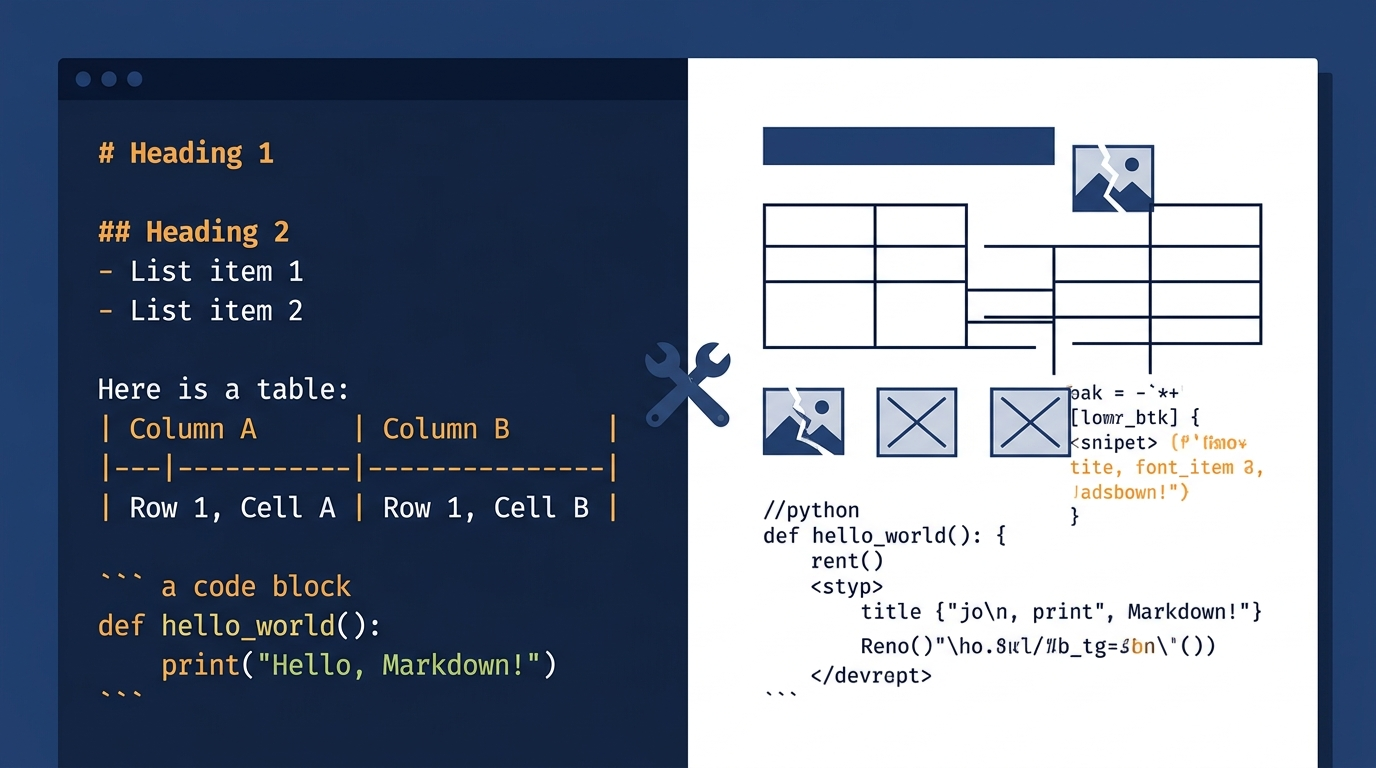
This matters more now than it did five years ago, because AI assistants love Mermaid. Ask ChatGPT or Claude for an architecture overview and there's a good chance the response includes a mermaid code block. Convert that conversation with pandoc and your Word document contains what looks like leftover source code. If that's your workflow, our guide on exporting ChatGPT output to Word covers the AI-specific details.
There is a CLI fix: mermaid-filter, a pandoc filter that renders diagrams during conversion. It works, but weigh the setup honestly — it's an npm package that pulls in a headless Chromium via Puppeteer, and the pandoc invocation becomes pandoc -F mermaid-filter .... For a documentation pipeline that converts diagrams daily, that setup cost amortizes. For one report due this afternoon, it's a detour.
Small fidelity losses at the edges
Two quieter findings from the same test. GFM alert blocks (> [!NOTE]) keep their text but lose the colored callout treatment — in Word they read as ordinary block quotes. And task list items arrive as plain list text rather than Word checkbox controls. Neither breaks a document; both flatten formatting that the author probably chose deliberately. If your conversion goes wrong in other ways, we've cataloged the frequent failure modes in common Markdown conversion problems.
Command Line vs Online Converter: Which One When
After that testing, here's the decision framework I'd actually use:
| Your situation | Better tool | Why |
|---|---|---|
| Converting many files, or the same files repeatedly | Pandoc | Scripts and CI make repeat conversion free |
| Need company Word styles applied automatically | Pandoc | --reference-doc is unmatched for this |
| Offline or air-gapped environment | Pandoc | Single binary, no network |
| One document, due soon | Online converter | Zero install, no version questions |
| Document contains Mermaid diagrams | Online converter | Diagrams render as diagrams, no filter chain |
| Locked-down work machine, can't install software | Online converter | Runs in the browser |
| Heavy LaTeX math | Either | Modern pandoc handles standard math well; so do we |
Both routes are legitimate. Pandoc earns its place in any recurring pipeline. For the one-off "I need this as a .docx in the next five minutes" case — especially when Mermaid is involved — a free online Markdown to Word converter gets you a clean document with equations and rendered diagrams, nothing to install.
Frequently Asked Questions
Q: Can I convert Markdown to Word without installing anything?
A: Not from the command line — pandoc requires installation. If installing software isn't an option, browser-based converters are the practical route; conversion happens server-side and you download the finished .docx.
Q: Does pandoc convert LaTeX math to real Word equations?
A: Yes. In our test with pandoc 3.7.0.2, both inline and display math became native OMML equations, editable in Word's equation editor. Very old pandoc versions and custom LaTeX macros are the exceptions.
Q: Why does my Mermaid diagram show up as code in Word?
A: Pandoc treats a mermaid code block as literal code — it doesn't render diagrams. Either add mermaid-filter to your pipeline (requires Node.js) or use a converter with built-in Mermaid rendering.
Q: How do I keep my company's fonts and heading styles?
A: Use --reference-doc=template.docx. Edit the styles in that template once in Word; pandoc applies them on every conversion. Content in the template is ignored, only styles carry over.
Q: What's the difference between -f markdown and -f gfm?
A: markdown is pandoc's own extended dialect (footnotes, citations); gfm matches what GitHub, ChatGPT, and most modern tools produce — tables, task lists, strikethrough. For AI-generated or developer-written Markdown, gfm gives fewer surprises.
Q: Can pandoc convert Word back to Markdown?
A: Yes — reverse the arguments: pandoc report.docx -o report.md. Round-tripping loses some Word-specific formatting (text boxes, comments), so treat it as a content migration, not a lossless cycle.
Related Resources
- The Complete Markdown to Word Guide: the full landscape of conversion options beyond the command line
- ChatGPT to Word: the Markdown workflow for AI-generated documents
- Markdown to PDF: when the deliverable is a PDF instead
- Common Markdown conversion problems: fixes for broken tables, encoding issues, and formatting drift
Conclusion
Pandoc remains the right answer to "convert Markdown to Word from the command line" — one command for a single file, a short script for a folder, --reference-doc for company styling. Our testing showed its math support is better than its reputation: standard LaTeX becomes real, editable Word equations.
Its genuine gap is visual: Mermaid diagrams arrive as source code unless you bolt on a Node-based filter chain. So pick by workflow. Recurring pipeline with plain-text documents: script it with pandoc. Single document with diagrams and a deadline: convert it in the browser and keep the equations and flowcharts intact.
References
- Pandoc User's Guide — official manual: readers, writers,
--reference-doc, math handling - Installing pandoc — official installers for all platforms
- mermaid-filter — community pandoc filter for rendering Mermaid diagrams
- pandoc/actions — official GitHub Actions for pandoc in CI
Find this tool helpful? Help us spread the word.