MarkFlow
100% Free β€” No Sign-up

Free Markdown to PDF Converter β€” MD to PDF Online

Convert Markdown to high-quality, print-ready PDF documents instantly. Supports GFM tables, LaTeX math, Mermaid diagrams, and syntax-highlighted code blocks β€” no installation needed.

Convert Markdown to PDF

Preview Your PDF Document

Preview Your PDF Document

Start typing or paste your Markdown content to see the preview

Find this tool helpful? Help us spread the word.

Quick Tips:

  • All processing happens in your browser - your files never leave your device
  • Supports full GitHub Flavored Markdown syntax
  • The preview updates in real-time as you type
  • Supports .md or .markdown files (max 10MB)

What Is Markdown to PDF Conversion?

Markdown to PDF conversion transforms plain-text .md files into professionally formatted, print-ready PDF documents. MarkdownToWord.pro preserves your full document structure β€” including GFM tables, LaTeX math equations, Mermaid diagrams, and syntax-highlighted code blocks β€” in a pixel-perfect PDF. You can also convert Markdown to Word (.docx) or HTML.

3 Ways to Convert Markdown to PDF

  1. 1Online converters (like MarkdownToWord.pro) β€” Upload or paste your Markdown and download a formatted PDF instantly. Best for quick, high-quality conversions with complex formatting preserved.
  2. 2Command-line tools (Pandoc + LaTeX) β€” Run pandoc input.md -o output.pdf with a LaTeX engine. Best for developers who need full typographic control and batch processing.
  3. 3Browser print-to-PDF β€” Render Markdown as HTML, then use your browser's print dialog to save as PDF. Quick but limited β€” no LaTeX, no Mermaid, inconsistent formatting across browsers.

Complete Guide: How to Convert Markdown to PDF

Best practices for converting .md files to professional, print-ready PDF documents.

Markdown vs. PDF: Understanding the File Formats

Markdown (.md)

A simple way to style text using special characters. It's popular among developers for documentation and README files. Easily convert to Word or HTML.

Portable Document Format (.pdf)

The universal standard for sharing documents. PDFs ensure your content looks exactly the same on every device and when printed.
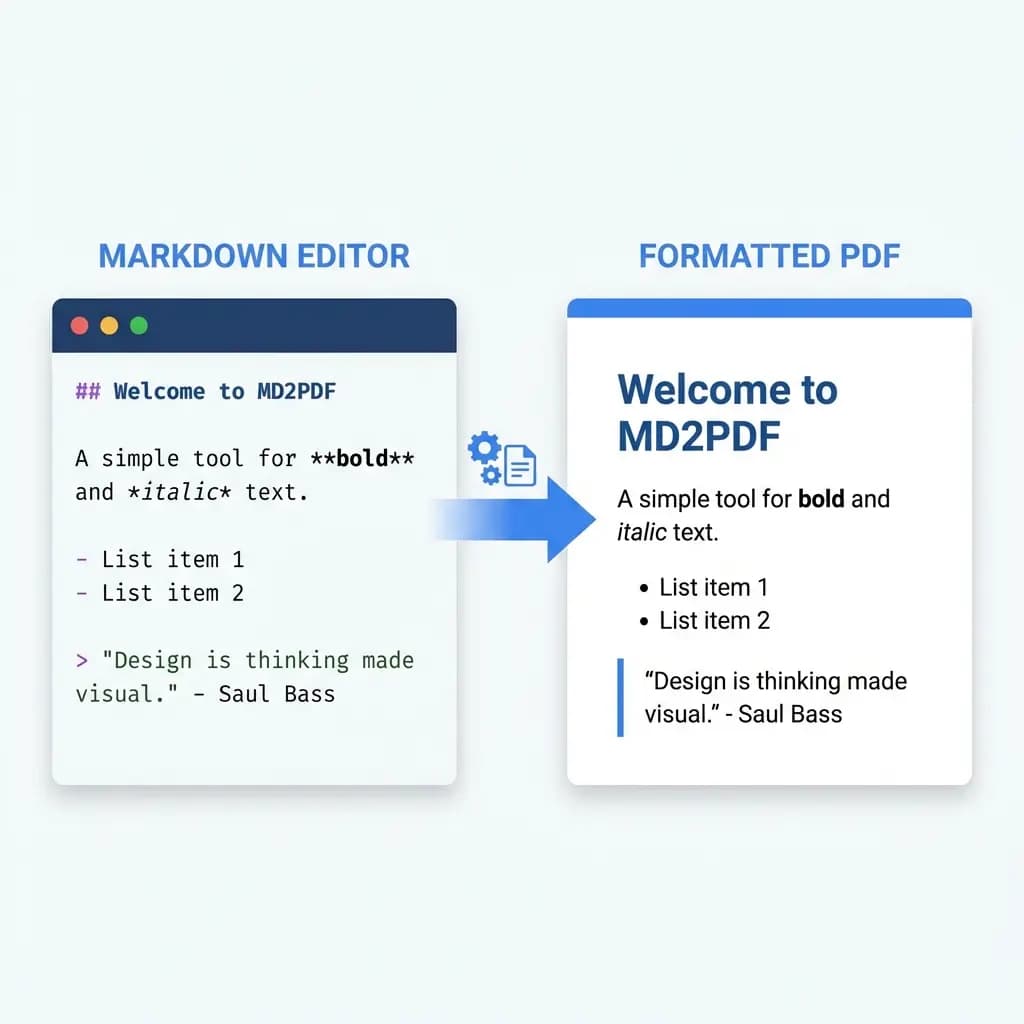
Markdown to PDF conversion tool interface preview

When to Convert Markdown to PDF

Professional Reports

Turn your notes and drafts into polished, shareable reports and papers.

E-books & Guides

Create easily distributable e-books, user manuals, and technical guides.

Offline Access

Save web documentation as PDF to read offline on your tablet or e-reader.

Archiving

Preserve your dynamic content in a fixed, stable format for long-term storage.

Handling Images, Tables & Page Breaks in PDF Output

  1. 1.

    Page Breaks

    Consider where pages will break. Long tables or code blocks might be split across pages.

  2. 2.

    Image Resolution

    Ensure any linked images are of high quality so they look crisp in the final PDF.

  3. 3.

    Standard Syntax

    Use standard Markdown syntax for best compatibility. Complex custom HTML might not render exactly as expected in all PDF viewers.

Key Capabilities

What Makes a Good Markdown to PDF Converter

Key features to look for when converting MD to professional PDF documents

Print-Ready PDF Output

Generates PDF documents with proper page margins, typography, and layout β€” optimized for printing and professional sharing.

Full Markdown Formatting in PDF

Preserves tables, code blocks, images, LaTeX math, and all GFM syntax in the final PDF without manual formatting.

Browser-based Markdown to PDF Conversion

Conversion runs locally in your browser. Your Markdown content is never uploaded to any server.

Instant MD to PDF Conversion

Converts Markdown to PDF in seconds β€” paste your content, click convert, download the file.

Convert Markdown to PDF on Mobile

Works on iOS and Android devices. Convert and download PDF documents directly from your mobile browser.

One-Click PDF Download

No watermarks, no complex settings. Click Convert & Download to save your formatted PDF immediately.

Simple Process

How to Convert Markdown to PDF in 3 Steps

No installation needed β€” convert MD to PDF directly in your browser

01

Input Content

Upload your .md file or paste Markdown text directly into the editor.

02

Preview & PDF

Check how your document will look and ensure formatting is correct.

03

Download PDF

Click 'Convert & Download' to save your professionally formatted PDF.

Common Questions

Markdown to PDF Conversion FAQ

Answers to common questions about converting MD to PDF

Markdown to PDF Converter – Free Online, No Sign-up Required