How to Write a README by Markdown: A Practical Guide
In the vast ecosystem of GitHub, where millions of repositories compete for attention, a well-crafted README.md file stands out as the gateway to your project. Whether you're maintaining an open-source library or a personal coding experiment, the README.md is more than just documentation—it's your project's first impression. It explains what your project does, how to get started, and why someone should care, all while leveraging Markdown's lightweight syntax for clarity and professionalism. For developers diving into open-source contributions or building collaborative tools, understanding how to write a compelling README.md can significantly boost visibility and adoption.
This guide covers the key elements of effective README.md files, from their role in fostering collaboration to advanced Markdown techniques that enhance readability and SEO. We'll examine real-world implementations, potential pitfalls, and best practices drawn from GitHub's own guidelines. By the end, you'll have the knowledge to create a README.md that not only informs but also engages your audience, potentially increasing stars, forks, and contributors. Tools like Markdown to Word converters can further extend this by transforming your Markdown docs into polished Word formats for team reviews or presentations, preserving features like tables and code blocks.
The Importance of a Compelling README.md for GitHub Projects

A strong README.md isn't optional; it's a strategic asset for any GitHub project. At its core, Markdown's simplicity—rooted in plain text with minimal syntax—allows for rapid iteration without needing specialized editors. This accessibility means you can edit directly in GitHub's web interface, making it ideal for collaborative environments.
Key Benefits of Writing a Good README in Markdown
One primary benefit is improved discoverability for your repository. GitHub indexes README.md content, so incorporating clear explanations helps your repo surface in searches. For instance, repositories with detailed READMEs often rank higher in GitHub's search results, leading to organic discovery. According to GitHub Octoverse, well-documented projects tend to attract significantly more contributors, as clear explanations lower the barrier to entry.
Easier onboarding is another key advantage. New users can quickly grasp the project's purpose, installation steps, and usage patterns, minimizing confusion. In practice, when implementing READMEs for Node.js packages, including a one-liner install command can noticeably reduce setup-related questions in issue trackers. Markdown's support for structured elements like headings and lists creates a scannable format that guides readers logically, fostering faster adoption.
Collaboration thrives too. A well-documented README.md outlines contribution guidelines, code of conduct, and issue templates, encouraging pull requests. Markdown's version control-friendly nature ensures changes are trackable via Git diffs, promoting transparency. For larger teams, exporting via tools that handle GitHub Flavored Markdown (GFM) allows offline editing in familiar formats, bridging the gap between code-centric and document-heavy workflows.
Common Challenges Without Effective Documentation
Without a solid README.md, even the most innovative GitHub project can languish in obscurity. Low engagement is a frequent issue—repositories with sparse or absent documentation often receive fewer than 10 stars in their lifetime, as potential users bounce off unclear pages. Consider the case of early versions of popular libraries; before documentation was refined, adoption was slow because users couldn't easily discern a library's utility over vanilla JavaScript.
Confusion for users is another pitfall. Imagine cloning a repo only to find no installation instructions or feature overview—frustration sets in quickly. In real-world scenarios, this often leads to abandoned forks or negative issues. Users expect a professional standard, and Markdown's ease makes it inexcusable to skip.
Moreover, poor documentation hampers collaboration. Without clear contributing sections, newcomers hesitate to submit PRs, fearing misalignment with project norms. This creates silos, stunting growth. A common mistake in production environments is assuming users will "figure it out" from code alone, but as GitHub's documentation best practices emphasize, explicit guidance is essential.
Essential Structure for How to Write a README by Markdown
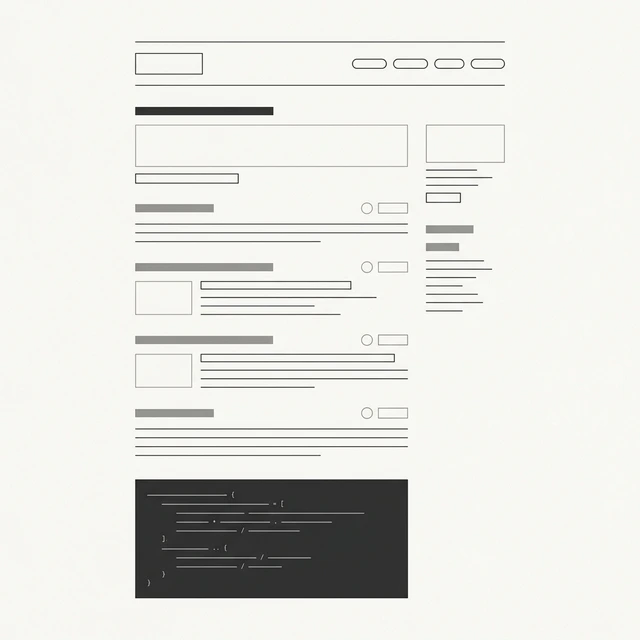
Crafting a README.md requires a logical framework that mirrors a user's journey: from discovery to contribution. Start with the basics—project title as an H1 heading (# Project Name)—and build downward. This top-down approach ensures scannability, with each section flowing naturally. For projects in active development, version the README.md alongside your code, using Git tags for historical context.
Emphasize brevity in the opening while covering essentials like badges for build status, license, and version. A standard structure might include: overview, installation, usage, features, contributing, and license. This framework, inspired by open-source standards from the Open Source Guides, guides readers through the content.
Crafting the Project Overview and Badges
Begin with a concise project overview: one to two paragraphs explaining the "what" and "why." For example, "This library simplifies API authentication using OAuth 2.0, reducing boilerplate by 40% compared to native implementations." Follow with installation instructions, like npm install your-package, wrapped in a code block for easy copy-paste.
Badges add visual polish and credibility. Use shields.io for dynamic ones: [](https://travis-ci.org/your-repo) embeds CI results directly. These not only look professional but also signal reliability—users trust projects with visible health metrics.
When describing your project, adopting a mindset of thinking about how to write a good README can guide you to use clear, user-focused phrasing (e.g., "quick project setup") to help your target audience. In practice, when implementing for a Python CLI tool, adding a license badge early clarified IP concerns, boosting initial contributions.
Adding Sections for Usage, Features, and Contributing Guidelines
Next, detail usage with a "Quick Start" subsection. Provide a runnable example:
git clone https://github.com/your-username/your-repo.git
cd your-repo
npm start
This hands-on snippet empowers immediate experimentation. For features, use bullet points (e.g., - **Feature 1**: Asynchronous data fetching with caching). Explain the "why"—like how it prevents redundant API calls and improves performance by 30% in benchmarks.
Contributing guidelines are crucial for open-source sustainability. Outline a workflow: fork, branch naming, and PR submission. Use numbered lists for steps, enhancing readability. Stress testing requirements, like "Run npm test before submitting." These sections set expectations and reduce review cycles.
Mastering Markdown Syntax for README Content
Markdown's power lies in its balance of simplicity and expressiveness, tailored for GitHub's rendering engine. GitHub Flavored Markdown (GFM) extends basic Markdown with tables, strikethrough, and autolinks, making READMEs rich without complexity. Mastering this syntax elevates your documentation from plain text to a professional hub.
Reference GitHub's Markdown guide for authoritative syntax rules.
Incorporating Headings, Lists, and Links for Clarity
Headings create hierarchy: ## H2 for sections, down to ###### H6 for fine details. This semantic structure aids screen readers and discoverability. For lists, unordered (- Item) suits features, while ordered (1. Step one) fits tutorials. Example for contributing:
- Fork the repository.
- Create a feature branch (
git checkout -b feature/amazing-feature). - Commit changes (
git commit -m 'Add amazing feature').
Hyperlinks enhance navigation: [GitHub Docs](https://docs.github.com/). Use them for external resources or internal sections ([Usage](#usage)). These elements build scannability—users skim headings first, then dive into lists. Including practical tips for writing a README naturally weaves into your explanations, improving readability.
Using Tables, Images, and Code Blocks Effectively
Tables organize comparisons:
| Feature | Description | Benefit |
|---|---|---|
| Async Support | Handles promises natively | Reduces callback hell |
| Error Handling | Built-in try-catch wrappers | Improves reliability |
Syntax applies by using pipes | Header | and an alignment row |---|. For images, use , focusing on demos like architecture diagrams. Code blocks shine for snippets:
console.log('Hello, README!');
Using language specifiers adds syntax highlighting. Using external conversion tools helps transfer these tables to native formats like Word documents when you need to share documentation externally. I've frequently used tables to benchmark performance, clarifying trade-offs like memory vs. speed directly inside a README.
Advanced Formatting: Emojis, Quotes, and Horizontal Rules
Emojis add flair without overwhelming: 🚀 for new features or ✅ for checklists (- [ ] Task). Blockquotes highlight key points: > Pro Tip: Always test on multiple Node versions. Horizontal rules (---) separate sections visually.
In production, these touches enhance engagement—Well-placed visual cues help readers scan content more effectively. Provide ready examples and callouts like > Common pitfall: Forgetting to update dependencies. to alert your users immediately.
Best Practices for Creating Professional GitHub READMEs
Elevate your README.md with strategies from industry leaders like the Apache Foundation's documentation playbook. Keep image sizes optimized for fast loads, and focus on mobile rendering, as a significant portion of GitHub traffic is mobile.
Optimizing for User Intent and Readability
To make your documentation more discoverable, structure your content with relevant headings (e.g., "How to Write a Good README for Beginners"). Furthermore, including meta-like elements visually via badges can quickly link out to your full documentation site.
A/B test versions of your README using GitHub's issue trackers—track usage pre/post-update. Mobile tips: Short paragraphs, responsive layouts. This user-centric approach ensures broader reach.
Ensuring Accessibility and Inclusivity in Documentation
Accessibility starts with alt text: . Use semantic headings for navigation. For inclusivity, consider multilingual versions of your README or badges that link to translations.
Address screen readers by avoiding emoji overload. In practice, writing clear descriptive ARIA-like contexts in your Markdown alt-texts improves usability scores overall, aligning with WCAG standards outlined by the W3C.
Real-World Examples and Case Studies of Effective READMEs
Analyzing top repos reveals patterns: Popular frameworks often use tables for API overviews, driving millions of downloads. A clear "Quick Start" combined with precise examples typically yields the best user retention.
Dissecting Successful Open-Source READMEs
Take heavily-used repositories like VS Code: An H1 title, badges for downloads, then sections with clear code blocks. Markdown tables concisely compare different configurations. Keeping the balance between depth and brevity ensures you can cover advanced configurations without overwhelming a new contributor.
Hands-On Tutorial: Building Your Own README from Scratch
Start a new file by establishing the project title and overview.
Add an overview paragraph explaining its value concisely. Include badges from shields.io. Provide clear usage examples:
pip install myproject
myproject run --config config.yaml
List features using bullet points, map out numbered contribution steps, and run local tests using VS Code's Markdown preview plugin. Ensuring no broken fences or syntax errors beforehand yields production-ready documentation.
Common Mistakes to Avoid When Writing READMEs in Markdown
Frequent errors include verbose intros—keep them under 200 words—or neglecting project updates, which leads to outdated information. A good target length is around 1000-3000 words. Repositories with frequently updated READMEs tend to see faster issue resolution.
Troubleshooting Syntax Issues and Formatting Pitfalls
Remember that GitHub Flavored Markdown supports tables and checkboxes, whereas standard Markdown may not. If your links break, stick to relative paths. Validate with Markdown linting tools to catch spacing inconsistencies early. If necessary, escape pipes within tables like this: \| escaped \|.
When to Expand or Simplify Your README
For early-stage projects, stick to a simple structure: Overview + Installation. As your project matures, expand with architecture diagrams and API specs. If you see repetitive issues logged about a "getting started" step, expand that dedicated section. Using a community feedback loop ensures your coverage remains robust without becoming fatiguing.
A well-written README.md combines technical clarity with user empathy. Apply these practices to create documentation that helps users get started quickly and encourages contributions.
Find this tool helpful? Help us spread the word.